¶ Searching, Filtering, and Sorting lists
All lists in Diri can be searched, filtered and sorted, so you can quickly find the vendors, systems, risks or tasks you are looking for.
¶ Search
Many lists have a search field above the table. Type part of a name to narrow the list as you type.
¶ Filter
Select Filter in the table toolbar to show or hide the filter row between the column headers and the first row of the list. Use the filter row to search and narrow the list on the columns shown.
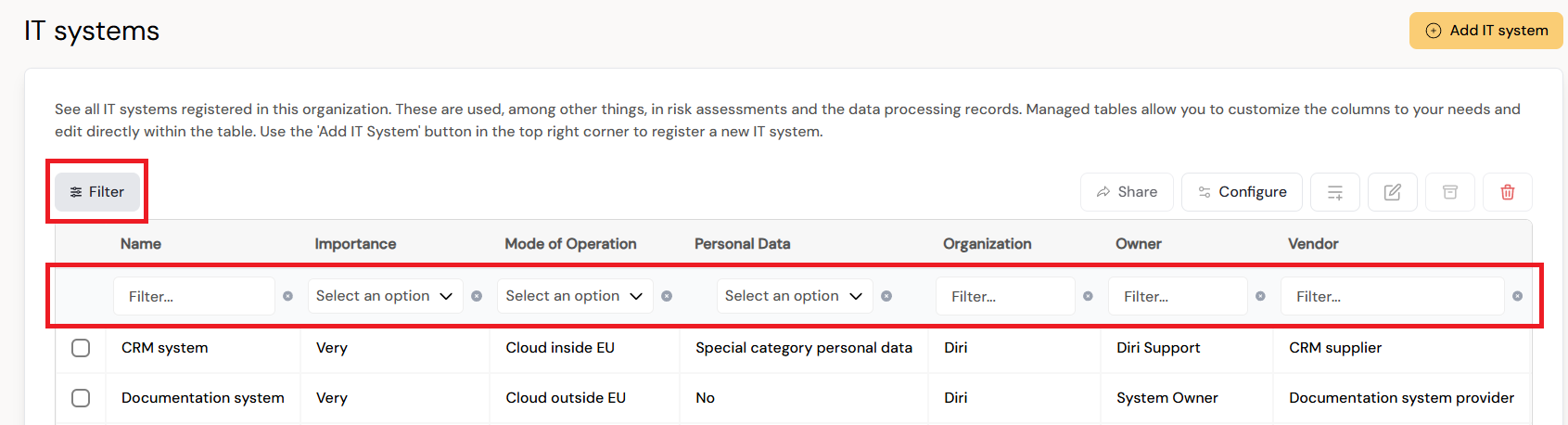
Where a list offers more detailed filters, select Add Filter and choose the Filter (the field), the Operator and the Value. The operators are is equal to, not equal to, contains, does not contain, is greater or equal to and is less or equal to. Select Discard to remove a filter.
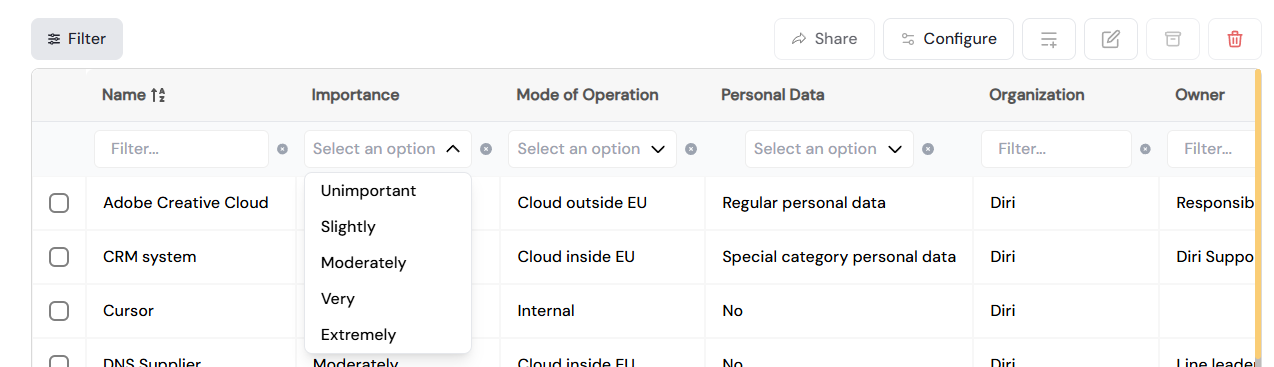
Some registers also have quick filters above the table, for example the Suppliers and Subcontractors tabs and the Unverified filter in Vendors (see Parties and customers), or the All, Risk assessments and Pre-assessments filter in Treatments.
¶ Sort
Lists can be sorted on their columns, and are sorted alphabetically by default.
¶ Export what you have filtered
Download CSV in the toolbar exports the list with the columns you have configured and the filters you have applied. See Export a list to CSV.
A list shows the items of your active organisation (administrators also see its sub-organisations), plus items inherited from parent organisations or shared with you. Archived items are not shown; find them in the Archive.