¶ The Archive feature in Diri
The Archive lets you remove items from active use without permanently deleting them. Archived items are hidden from the standard lists and dashboards, but they are still stored, for future reference or regulatory purposes, and can be restored at any time. This keeps your workspace clean while making sure important information is not lost by mistake.
Most items in Diri can be archived: risk assessments, assets, threats, vulnerabilities, treatments, tasks, vendors, IT systems, policies, files and more.
¶ Archive or delete an item
In most lists, select one or more rows with the checkbox on the left. Then use the toolbar:
- Archive (folder icon) – moves the selected rows to the archive. They can be restored later.
- Delete (trash can icon) – you are asked to confirm. In most lists, deleting also moves the items to the archive, where they can be restored. Where permanent deletion is offered, Diri says so in the confirmation: a permanent deletion removes the item for good and cannot be undone.

Think of it like email: archiving hides the message; permanent deletion empties the trash.
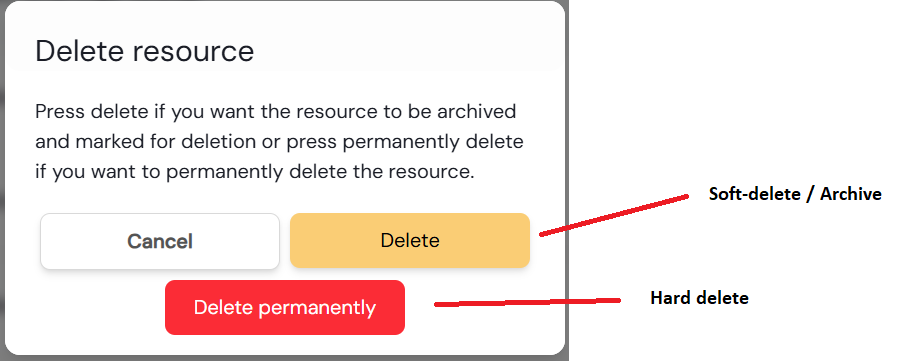
If some of the selected rows are on another page of the list, Diri warns you before deleting, so you can review the whole selection.
¶ Using the Archive
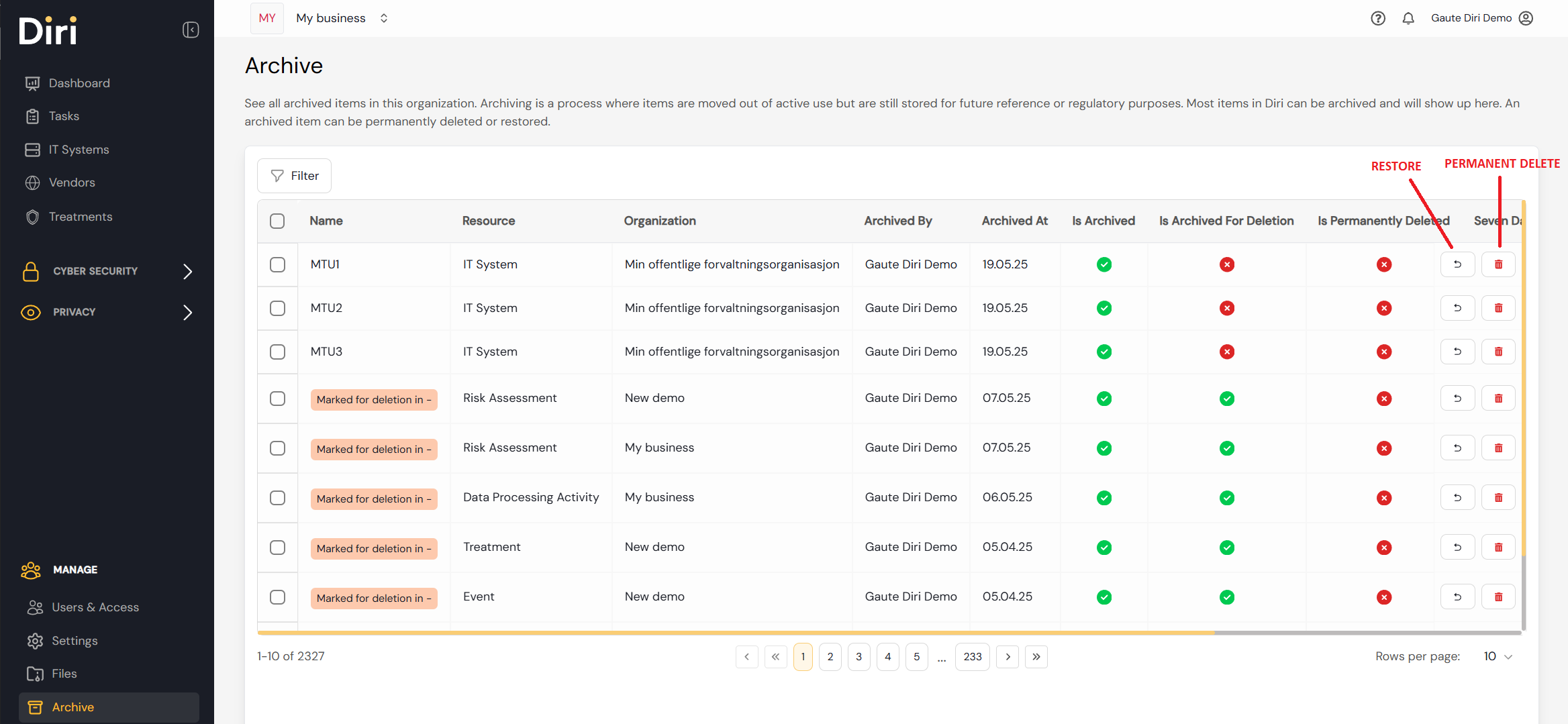
Open Governance & Compliance > Archive in the left-hand menu. The archive shows every archived item in the organisation you are working in, and whether it is scheduled for deletion.
- Restore brings the item back to its list. Restoring a risk assessment or an organisation also restores everything that belongs to it.
- Delete permanently removes the item for good. You are asked to confirm.
¶ Good to know
- Some kinds of records cannot be deleted permanently from the archive. Diri then leaves them in the archive and tells you; restore the record and delete it where it is listed.
- When an IT system is archived, restored or permanently deleted, its AI Act pre-assessment follows it.
- Deleting a record with an approved pre-assessment retires the approval, so Diri asks first (Delete, and retire an approval?). The signed version is kept in the assessment's history. If the record is restored from the archive, it comes back unapproved and must be approved again. See Pre-assessments.
- Items scheduled for deletion are permanently deleted when the period runs out, and notices are sent before that happens.
- You need a role with access to the archive to open it. See Role-based access control.