¶ Create and edit templates
A template is a set of content — typically unwanted events, causes and consequences, and optionally assets, threats, vulnerabilities and treatments — that you can reuse in risk assessments. With a template, you streamline the identification of risks and can focus on assessing probability and impact.
A template is made from an existing risk assessment. Build an assessment with the general risks you want in every similar analysis — for example for assessing an IT system or a processing activity — and make it into a template. You can create a template in two ways.
¶ Creating a template from the risk assessment dashboard
- Open the risk assessment you want to use as a template.
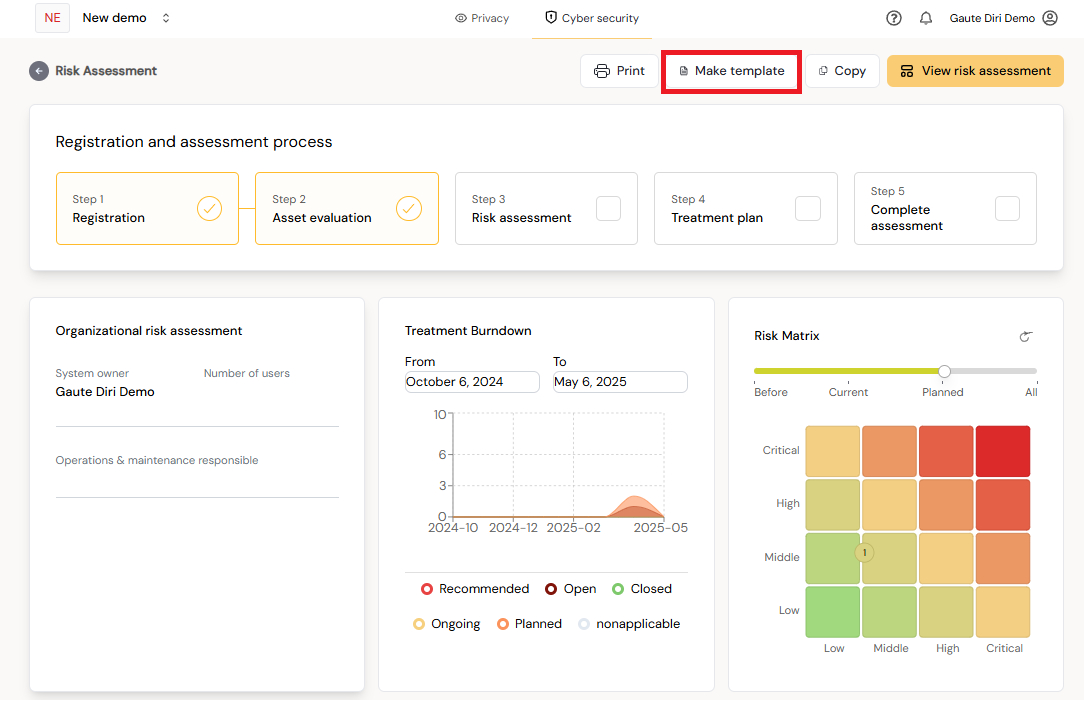
- On the risk assessment dashboard, click Make template in the top right corner.
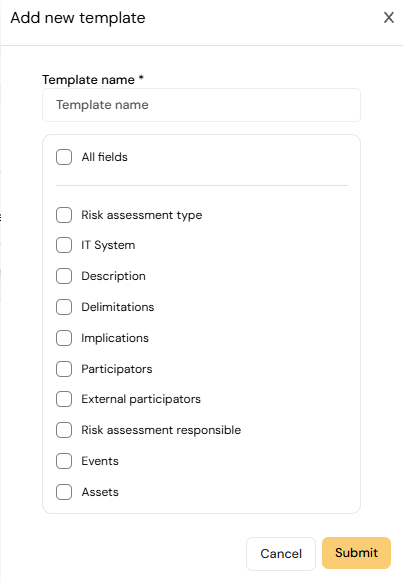
- Select what to include in the template.
- Save the template.
¶ Creating a template from the Templates page
- In the left menu, open Templates under the module the template is for (Operational risk, Cyber security or Privacy).
- Click Add template.
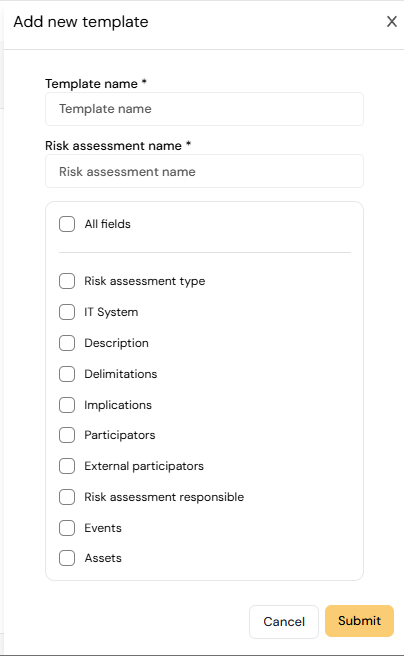
- In Add new template, enter the Template name and choose the risk assessment (or DPIA) to make the template from.
- Under Select what to include in the template, choose the fields: for example Description, Delimitations, Participators, Risk assessment responsible, Bowtie, Treatments, Assets, Threats and Vulnerabilities. Use All fields to include everything.
- Optionally turn on inheritance so sub-organisations can use the template (see Sharing templates).
- Save the template.

¶ Editing a template
You can edit a template directly; there is no need to create it again.
- Open Templates in the module and find the template.
- Click Edit template content.
- Change the content as you would in a risk assessment, for example in the bowtie work surface, and save.
Changes won't propagate. Edits only affect new assessments created from the template. Assessments already created from it are not updated.
You need edit rights to the template. A template inherited from a parent organisation can only be edited in your organisation if the parent allows child organisations to modify it.
¶ Next steps
- Use the template when you create a new risk assessment.
- Share the template with sub-organisations or users.