¶ Treatments
Treatments are the risk-reducing measures (security controls) in Diri. A treatment modifies a risk by reducing its probability or its consequence, or by avoiding, transferring or accepting it. Treatments are used in risk assessments, DPIAs and incidents, and are suggested by the pre-assessments of vendors, IT systems, AI systems, business processes and customers.
Open Treatments in the left menu to see all treatments registered in the active organisation.
¶ The treatment list
The list shows the treatments in the module you have selected – for example Registered Cyber treatments – or in all modules. Use the module selector at the top to switch.
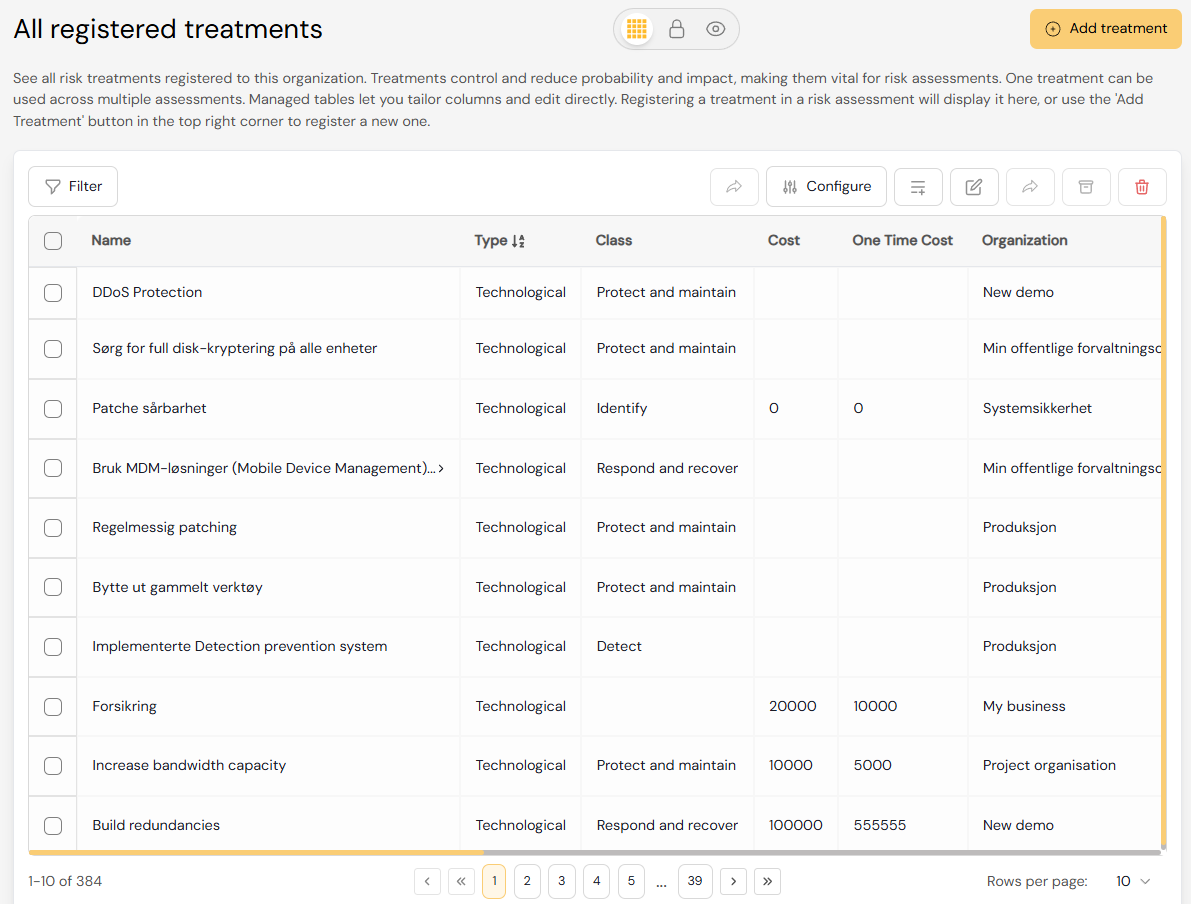
Above the list you can choose which treatments to show:
- All – every treatment in the organisation.
- Risk assessments – treatments added by hand, or from a risk assessment, a framework or a business process: every treatment except those the pre-assessments suggest.
- Pre-assessments – the treatments suggested by pre-assessments. See Treatments from pre-assessments below.
The list is a managed table: you can choose and order the columns, filter and sort, edit directly in the table and export the list with Download CSV. See Advanced tables. Use Import treatments to import treatments from Excel or CSV (see Bulk import).
¶ Creating a treatment
Click Add treatment in the top right corner. You can also add treatments directly in a risk assessment – from the treatment step or from a cause or consequence card on the Bowtie work surface.
- Name and Description.
- Status – Open, Recommended, Planned, Ongoing, Implemented or Non-applicable.
- Responsible and Due date – the responsible user is notified about the treatment.
- One time cost and Yearly cost – used in the cost-benefit view of the treatment plan.
- Module – which module the treatment belongs to.
- Type – Physical, Technological, People or Administrative.
- Class – Identify, Protect and maintain, Detect or Respond and recover.
- Frameworks and Control reference – link the treatment to compliance frameworks such as ISO 27001, NIS2 or GDPR.
- Documentation link, Tags and Associated policies.
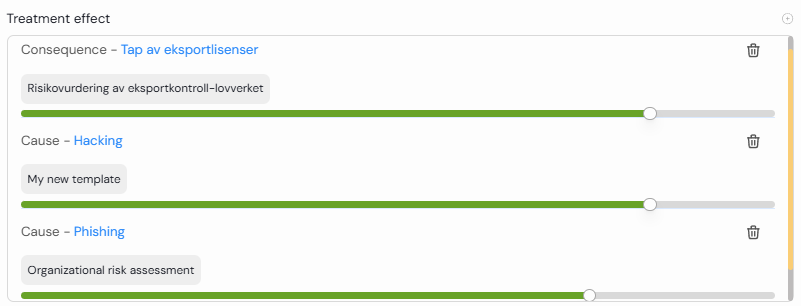
- Treatment effect – how strongly the treatment reduces the probability of a cause or the impact of a consequence.
¶ One treatment, many assessments
Instead of creating a new treatment for every assessment, reuse the ones you have. A control such as single sign-on or a firewall can apply to many IT systems and risk assessments. Reusing treatments prevents duplicates and keeps your controls consistent.
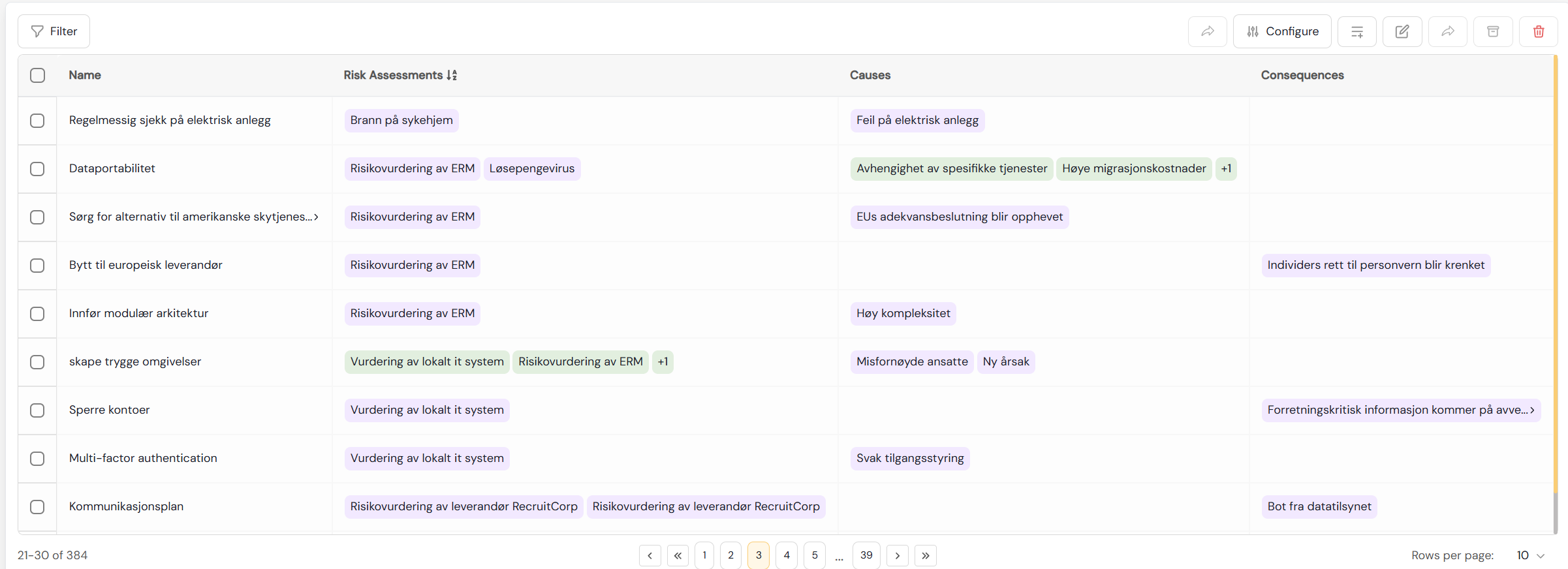
Each assessment that uses a treatment keeps its own status, responsible and due date for it, and each cause or consequence keeps its own treatment effect. A treatment can therefore be implemented in one assessment and only planned in another. You find these per-assessment values under Applied in assessments in the treatment's form. A change to the treatment's name or description applies to every assessment that uses it.
¶ One catalogue across the organisation
Treatments are maintained centrally and can be reused across subsidiaries and assessments. When you create a treatment in a parent organisation, you can let sub-organisations use it:
- Allow child organizations to inherit this treatment – users in sub-organisations can see the treatment and use it in their own risk assessments.
- Allow child organizations to modify this treatment – they can also change the treatment itself. Without this, they can still set the treatment's effect in their own assessments.
See What is offered to the organisations below.
¶ Treatments from pre-assessments
When a pre-assessment answer shows a gap, Diri suggests a treatment for it. These treatments are shared: each one is used by every vendor, IT system, AI system, business process or customer in the group that needs it, and each record keeps its own status, responsible and due date. Pre-assessment treatments belong to no module, so they are listed under every module.
Choose Pre-assessments above the treatment list for an overview with the columns Treatment, Pre-assessment, Applied to, Progress, Overdue and Next due. Filter by pre-assessment type (Supplier, IT system, AI Act, Business process (BIA), Customer) and search by name. Use Show the … not applied yet to include treatments that no record uses yet.
A pre-assessment treatment is added and followed up from the record's pre-assessment report. It cannot be deleted from the treatment list, because that would remove it from every record; to stop using it for one record, set its status to Not applicable or remove it in that record's treatments panel. See Pre-assessments.
¶ Treatments and the risk picture
Treatments determine how Diri calculates the risk picture of an assessment:
- Inherent – the risk before any treatment.
- Current – the risk with the treatments already implemented in this assessment.
- Planned – the risk with every treatment in the treatment plan.
¶ The treatment plan, cost-benefit and signing
In the treatment step of a risk assessment you put together the treatment plan. It is a cost-benefit assessment: treatments are ranked by how much risk they remove in the assessment, and as you tick treatments in or out you see what the plan costs (Plan cost), how much risk it removes (Risk reduced) and how the risks move in the risk matrix. The plan shows each treatment's responsible and due date for the assessment. Treatments that are ongoing or implemented always stay in the plan.
When the plan is ready, it can be sent for signing with Send for signing, or signed with Sign treatment plan. Signing records who accepted the residual risk, and sets the review period of the assessment. See Step 4: Risk treatment plan and Signing and review.
¶ Notifications and reminders
Diri notifies the responsible user when:
- a treatment is assigned to them – also when they assign it to themselves;
- the status of a treatment assigned to them changes;
- a treatment is due in 7 days, and when it is overdue.
The owner of a risk assessment can also be notified when a treatment status changes in an assessment they own, and when a treatment in it has expired. Because responsible and due date are set per assessment, reminders follow the responsible and due date in each assessment.
Each user chooses which notifications they receive in the app and by email under My Account. Administrators can set the defaults for new users under Settings. To avoid filling your inbox, Diri caps the number of notification emails per day and sends a digest email instead. Notification emails link directly to the relevant task or treatment plan.
¶ Deleting a treatment
If a treatment is used in risk assessments, Diri lists them before you confirm with Delete treatment. The treatment is then scheduled for removal and is no longer available in those assessments. To take a treatment out of use without deleting it, you can archive it instead (see The archive).
¶ Summary
Treatments help you document, manage and follow up risk-reducing measures in a structured way. They support accountability (who is responsible, per assessment), compliance (links to frameworks and controls) and efficiency (one catalogue, reused across assessments and subsidiaries).