¶ What is a Pre-DPIA?
A Pre-DPIA (preliminary high-risk assessment) is an early-stage evaluation that helps organisations identify potential risks in planned data processing before it is implemented. Its purpose is to determine whether the processing is likely to pose a high risk to individuals' rights and freedoms and, consequently, whether a full DPIA is required. Acting as a screening tool, the Pre-DPIA lets you assess privacy risks early, ensuring compliance with GDPR and reducing the likelihood of costly adjustments later.
The Article 29 Working Party has identified nine key criteria that indicate when a DPIA may be necessary:
- Evaluation or scoring (e.g., profiling individuals’ behaviour or financial status).
- Automated decision-making with significant effects (e.g., AI-based hiring decisions).
- Systematic monitoring (e.g., large-scale CCTV surveillance).
- Processing special categories of data (e.g., health or biometric data).
- Large-scale data processing (e.g., data collection affecting many individuals).
- Matching or combining datasets (e.g., linking data from multiple sources).
- Processing data about vulnerable individuals (e.g., children or elderly people).
- Using new or innovative technology (e.g., facial recognition).
- Restricting individuals' rights or access to services (e.g., creditworthiness assessments).
If two or more of these criteria apply, a DPIA should be conducted to ensure compliance with GDPR.
¶ What happens if a DPIA is not done?
Failure to conduct a DPIA when required can lead to regulatory action, including fines from data protection authorities. The Norwegian Data Protection Authority has outlined specific cases where a DPIA is always required, such as biometric identification and systematic employee monitoring.
¶ How to conduct a Pre-DPIA in Diri
You can start a Pre-DPIA in two ways:
- From a processing activity (recommended): go to Privacy > Processing Activity and click Start Pre-DPIA on the row of the activity you want to assess. The processing activity is filled in for you. If the activity already has a Pre-DPIA, the button reads Show Pre-DPIA and opens it.
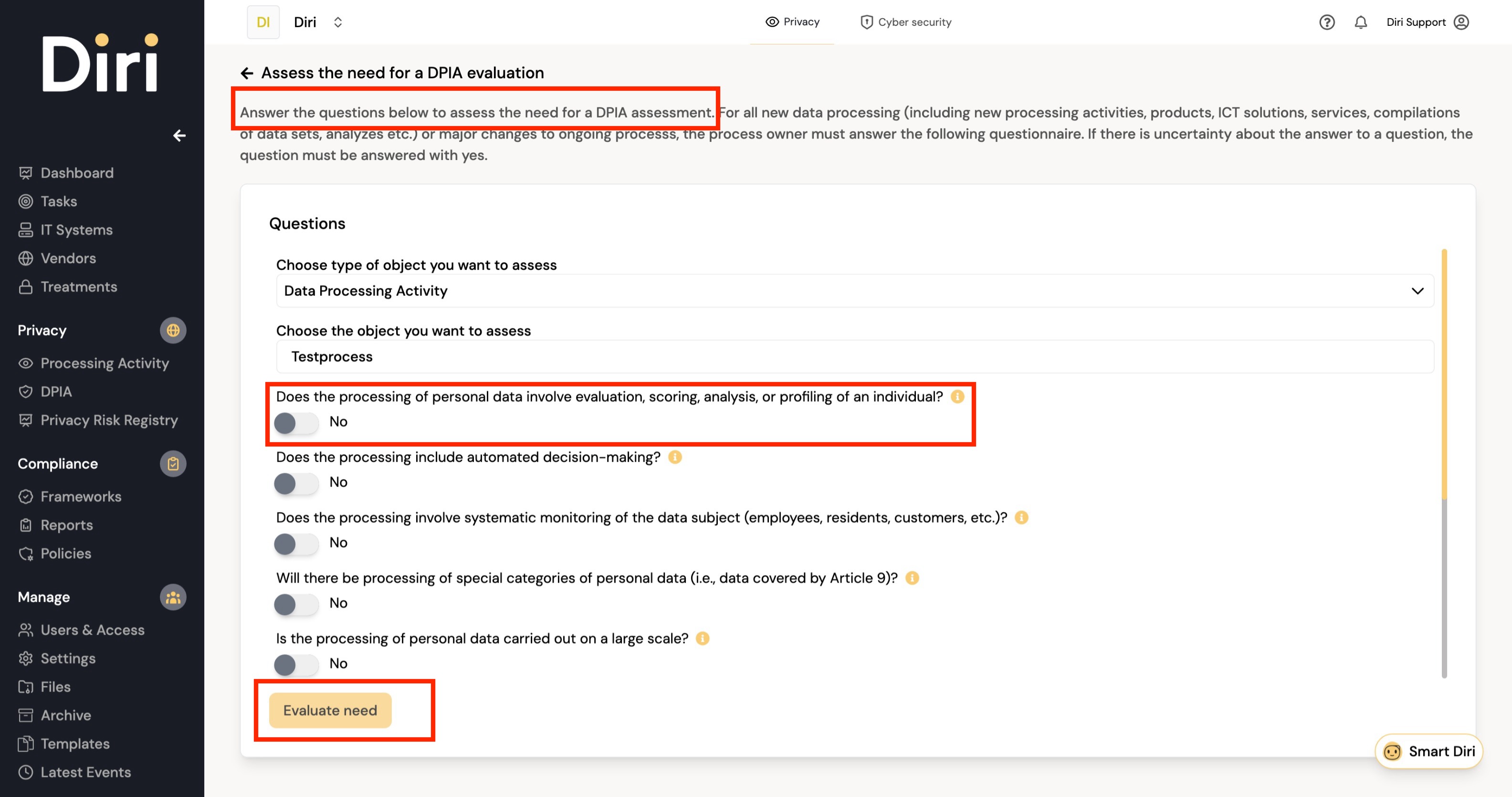
- From the Pre-DPIA page: go to Privacy > Pre DPIA and click Start Pre-DPIA, or click Add Pre-DPIA on the DPIA page. Choose the type of object you want to assess (for example a data processing activity, an IT system, a vendor or an asset) and then the object itself.

Then:
- In the dialog Is a DPIA needed?, answer the ten questions with yes or no. If you are unsure about a question, answer yes. Each question has a help text explaining what it covers.
- If you want, add your Own assessment of the need for a DPIA evaluation. You must answer at least one question with yes or write your own assessment.
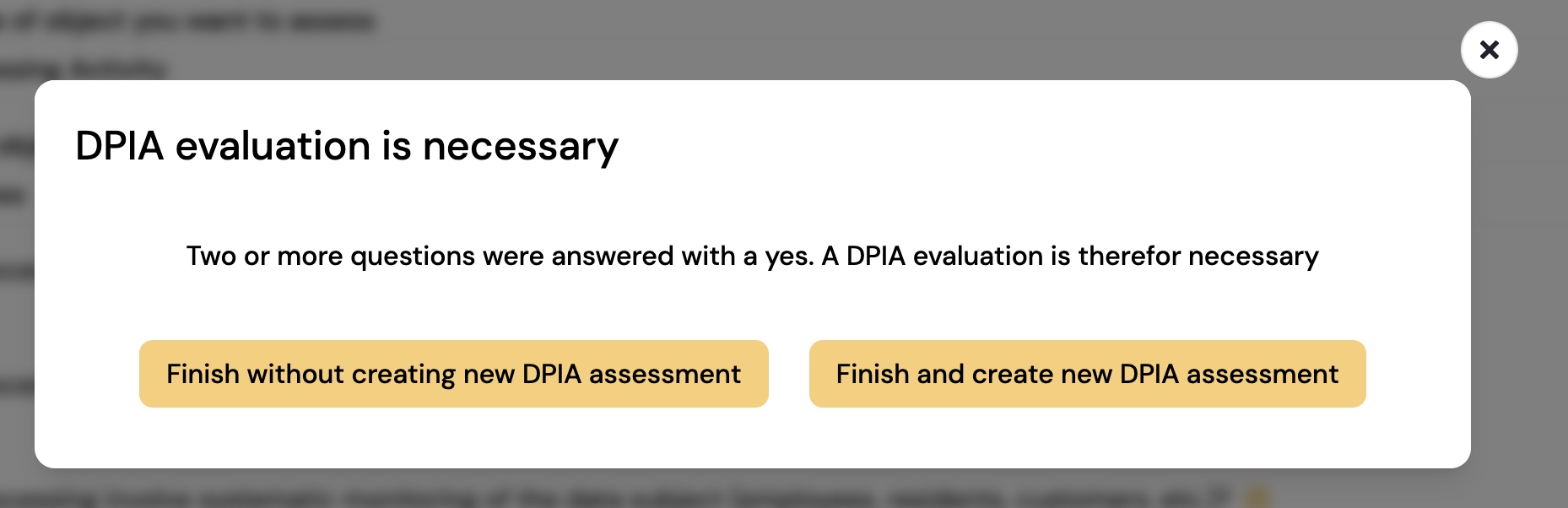
- Click Evaluate. Diri tells you the result:
- DPIA evaluation is necessary – two or more questions were answered yes, or the processing is on a large scale.
- DPIA evaluation might be necessary – one question was answered yes. A DPIA is not required, but may still be recommended.
- Choose how to finish:
- Finish and create new DPIA assessment – saves the Pre-DPIA and takes you straight to the registration of a new DPIA, with the assessed object already filled in and the Pre-DPIA linked to it. See DPIA.
- Finish without creating new DPIA assessment – saves the Pre-DPIA only. This is offered when a DPIA is not required.
- Give reason for not needing a DPIA – when a DPIA is required but you decide not to carry one out, you must write the reason, then click Finish without creating DPIA. The reason is stored with the Pre-DPIA.
¶ Find your Pre-DPIAs
The Pre DPIA page lists all Pre-DPIAs, with the assessed object, whether a DPIA is required, the DPIA score, your own assessment and any reason given for not needing a DPIA. A completed Pre-DPIA is read-only. On the DPIA page, View Pre-DPIA shows the Pre-DPIA a DPIA was created from.